| 1. |
Install the preferred toolchain. Please make sure at least one of the toolchains has been installed. |
| |
- |
KEIL MDK Nuvoton edition – Full Cortex-M |
| |
- |
IAR EWARM |
| |
- |
NuEclipse GCC (for Windows) |
| |
- |
NuEclipse GCC (for Linux) |
| 2. |
Download and install the latest Nuvoton Nu-Link Driver.
|
| |
- |
Download and install Nu-Link_Keil_Driver when using Keil MDK. |
| |
- |
Download and install Nu-Link_IAR_Driver when using IAR EWARM. |
| |
- |
Skip this step when using NuEclipse. |
| 3. |
Download and unzip the Board Support Package ( BSP). |
| 4. |
Hardware Setup |
| |
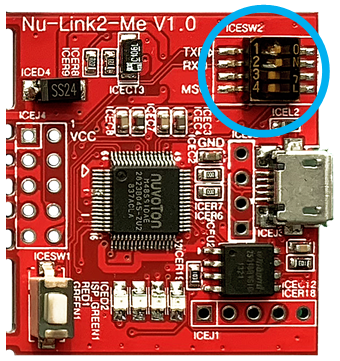
(1) Open the virtual COM ( VCOM ) function by changing Nu-Link2-Me VCOM Switch No. 1 and 2 to ON. |
| |
|
|
| |
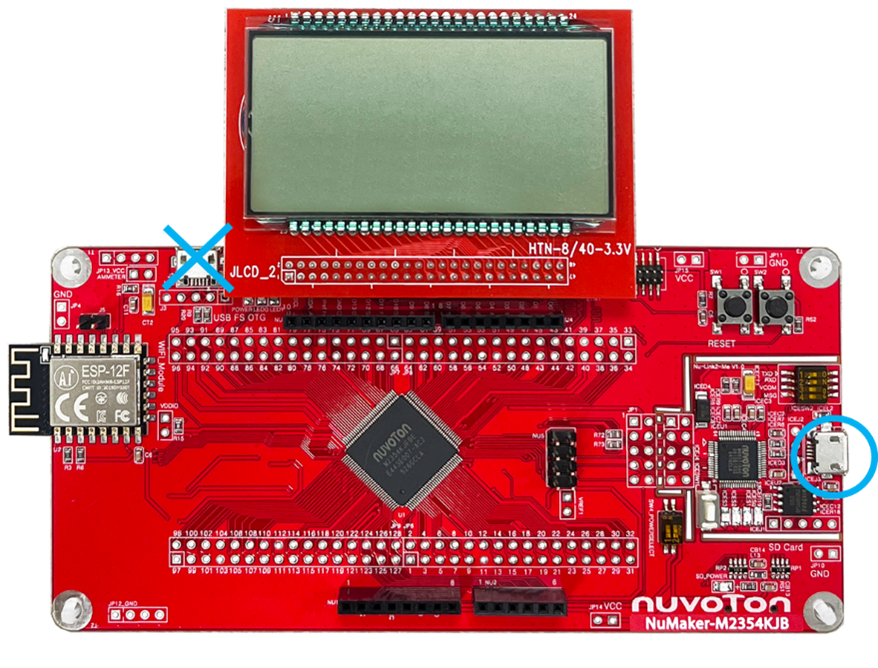
(2) Connect the ICE USB connector to the PC USB port through USB cable. |
| |
|
|
| |
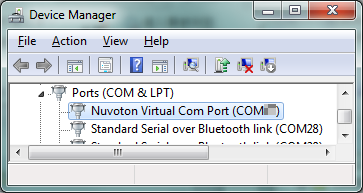
(3) Find the “Nu-Link2 Virtual COM Port” on the Device Manger. |
| |
|
|
| 5. |
Use the “Template” project as an example. The project can be found under the BSP folders. |
| |
- |
M2354_Series_BSP_CMSIS_V3.XX.XXX |
| |
|
- |
SampleCode |
| |
|
|
- |
Template |
| |
|
|
|
- |
GCC |
| |
|
|
|
- |
Keil |
| |
|
|
|
- |
IAR
|
| 6. |
Open and execute the project under the toolchain. For detail setting, please refer to the NuMaker-M2354 User Manual. |
| 7. |
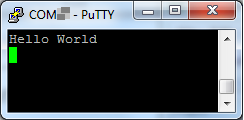
User can see the result in the ternimal window on PC. |
| |
|
| |
